How to Create a Professional Invoice (Complete Guide + Examples)
Most freelancers, agency owners, and new founders treat invoicing as an administrative afterthought. It is often a quick PDF, hastily thrown together in Word or Excel at the end of a long, exhausting project, just so they can finally get paid.
But if you stop to think about the psychology of an invoice, you realize how critical it is. An invoice is the very last touchpoint a client has with your brand during a transaction. You may have delivered a world-class website, executed a brilliant marketing campaign, or provided exceptional legal consulting. But if your final interaction with that client is a messy, confusing, error-riddled document, it leaves a lingering impression of amateurism.
Worse, a poorly constructed invoice doesn't just damage your brand image; it actively delays your payment. Corporate Accounts Payable (AP) departments are strict gatekeepers. If your invoice is missing a tax ID, a Purchase Order (PO) number, or a clear breakdown of services, they will kick it back. Every time an invoice is rejected for formatting issues, your payment is delayed by another week.
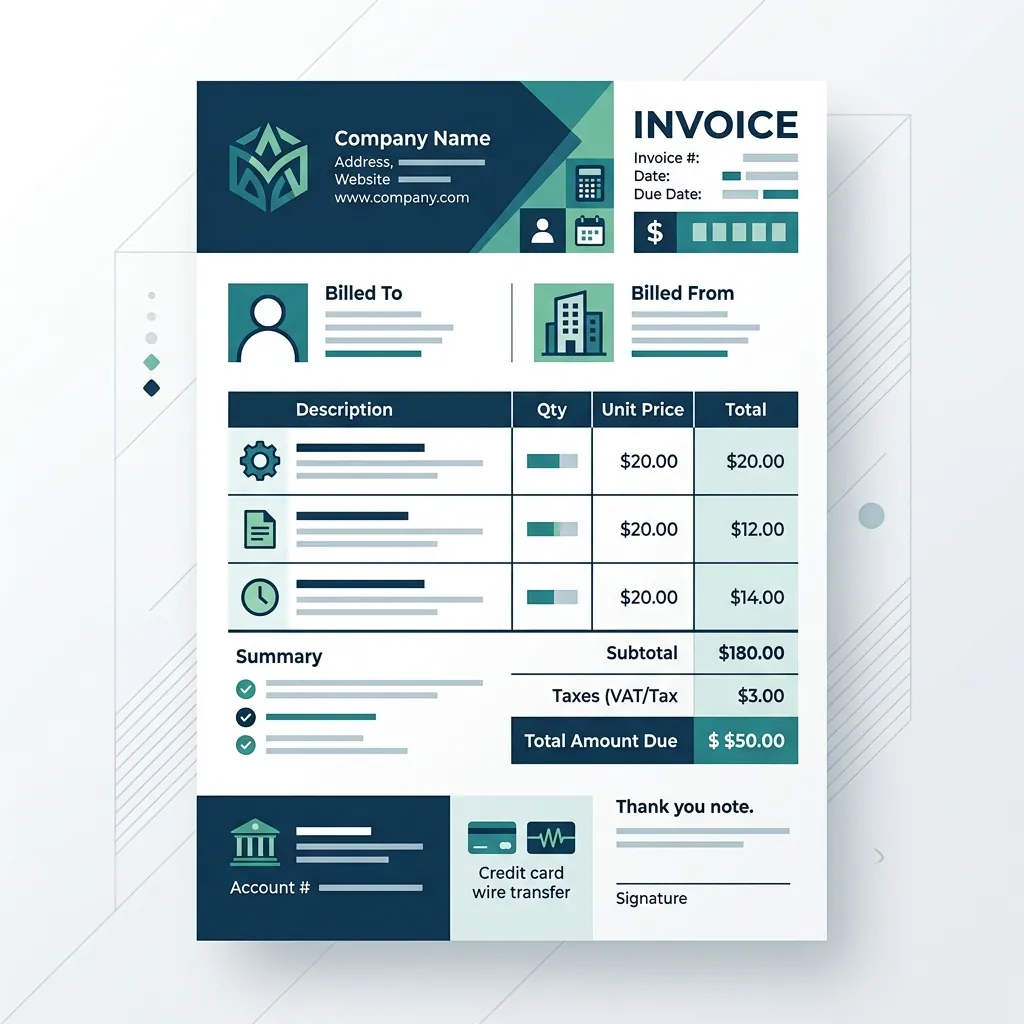
In this comprehensive guide, we will break down the exact anatomy of a professional, enterprise-ready invoice. By including these 8 non-negotiable elements, you guarantee that your invoices get approved and paid instantly.
1. Professional Branding and Aesthetics
Your invoice should look and feel like a natural extension of your company. At the very top, include your high-resolution company logo and use your brand's primary colors for headers or accents.
This isn't just about making it "look pretty." Branding provides subconscious signals of trust and established authority. A beautifully branded invoice tells the client, "We take our business seriously, and we expect you to take our payment seriously."
2. A Clear and Unambiguous Header
The word "INVOICE" (or "TAX INVOICE" depending on your local government regulations) must be prominently displayed in a large, readable font at the top of the document.
This prevents your document from being mistaken for a quote, an estimate, a receipt, or a casual project summary. AP clerks process hundreds of documents a day; they need to know what they are looking at within the first three seconds.
3. A Logical, Sequential Invoice Numbering System
Invoice numbers are not optional; they are mandatory for tax reporting and accounting purposes. They must be sequential and entirely unique. Never use random strings of numbers, and never repeat an invoice number.
Best Practice: Create a prefix system that makes logical sense. For example, using INV-2026-001 immediately tells you the document is an invoice from the year 2026, and it was your first one of the year. If you are billing a specific large client regularly, you might use a client-specific prefix, such as ACME-2026-014. This makes tracking down past payments incredibly easy.
4. Comprehensive Party Details (Who is billing Who?)
Your invoice must leave no ambiguity about who is requesting the money and who legally owes it.
Your Information:
- Legal Company Name (not just your casual DBA).
- Complete Physical Address (Do not skip this. Corporate AP departments need it for vendor registration and tax compliance).
- Contact Email and Phone Number.
- Tax Identification Number (e.g., VAT ID, EIN, or SSN).
Client Information (Bill To):
- Client's Legal Company Name.
- Client's Complete Billing Address.
- Attention (Attn): The specific Contact Person. Ensure you are sending it to the accounting department if required, not just the project manager who approved the work.
5. Critical Dates (Issue & Due)
An invoice without dates is a recipe for a cash flow disaster. You must include two specific dates:
- Date of Issue: The exact day the invoice was generated and sent.
- Due Date: The exact calendar date the payment is expected.
Pro Tip: Do not write vague terms like "Due in 30 days" or "Due Upon Receipt." Force the client to look at a hard deadline. Write "Due Date: October 15, 2026." Removing the mental math removes the friction of payment.
6. The Art of Detailed Line Items
This is where 90% of small businesses fail. If you send a corporate client a $15,000 invoice with a single line item that simply says "Consulting Services," it will almost certainly trigger an internal audit. The AP department will pause the payment and email the manager asking, "What exactly did they consult on that cost $15,000?"
You must break down the value of your work. Transparency builds trust.
- Instead of: "Website Design"
- Write: "Homepage UI/UX Redesign (Includes Wireframing, High-Fidelity Figma Mockups, and 2 Rounds of Revisions)"
When the client can see exactly what they are paying for, line by line, they are much less likely to dispute the charge or experience "sticker shock."
7. The Financial Breakdown (Subtotal, Taxes, and Totals)
Your math must be flawless. If an AP clerk finds a $5 discrepancy in your addition, the entire invoice is rejected.
Clearly list the subtotal of all line items. If you are required to charge sales tax, VAT, or GST, list the exact percentage and the calculated tax amount on a separate, clearly labeled line. If you are applying an early payment discount, show the deduction clearly.
Finally, the Grand Total Due should be the most prominent number on the page. Make it bold, increase the font size, and highlight it so the client knows exactly what needs to leave their bank account.
8. Frictionless Payment Instructions
How do you want to be paid? If you only accept wire transfers or ACH, provide the Bank Name, Account Holder Name, Routing Number, and Account Number clearly at the bottom of the page.
However, forcing a client to manually open a new browser tab, log into their complex corporate banking portal, set you up as a new payee, and carefully type out your 16-digit routing number is a massive point of friction. They will procrastinate.
The most professional, modern invoices include an integrated "Pay Now" button. By linking directly to a payment gateway (like Stripe, Apple Pay, or a credit card portal), you allow the client to settle the balance instantly while they are actively looking at your invoice.
The Secret to Perfect Consistency
Manually typing out these eight critical elements every time you finish a project is not only tedious, but it also leaves massive room for catastrophic human error. Forgetting to update an invoice number, copying the wrong client address, or mistyping a bank routing number can cost you dearly.
This is why professional agencies and smart founders rely on automated platforms like Quinvy.
By using a dedicated billing platform, your invoices are automatically generated using beautiful, legally compliant templates. The math is guaranteed to be perfect, the invoice numbers auto-increment without fail, and the integrated payment gateways ensure your clients can pay you with a single click. You maintain a pristine, highly professional brand image, and your cash flow remains uninterrupted.